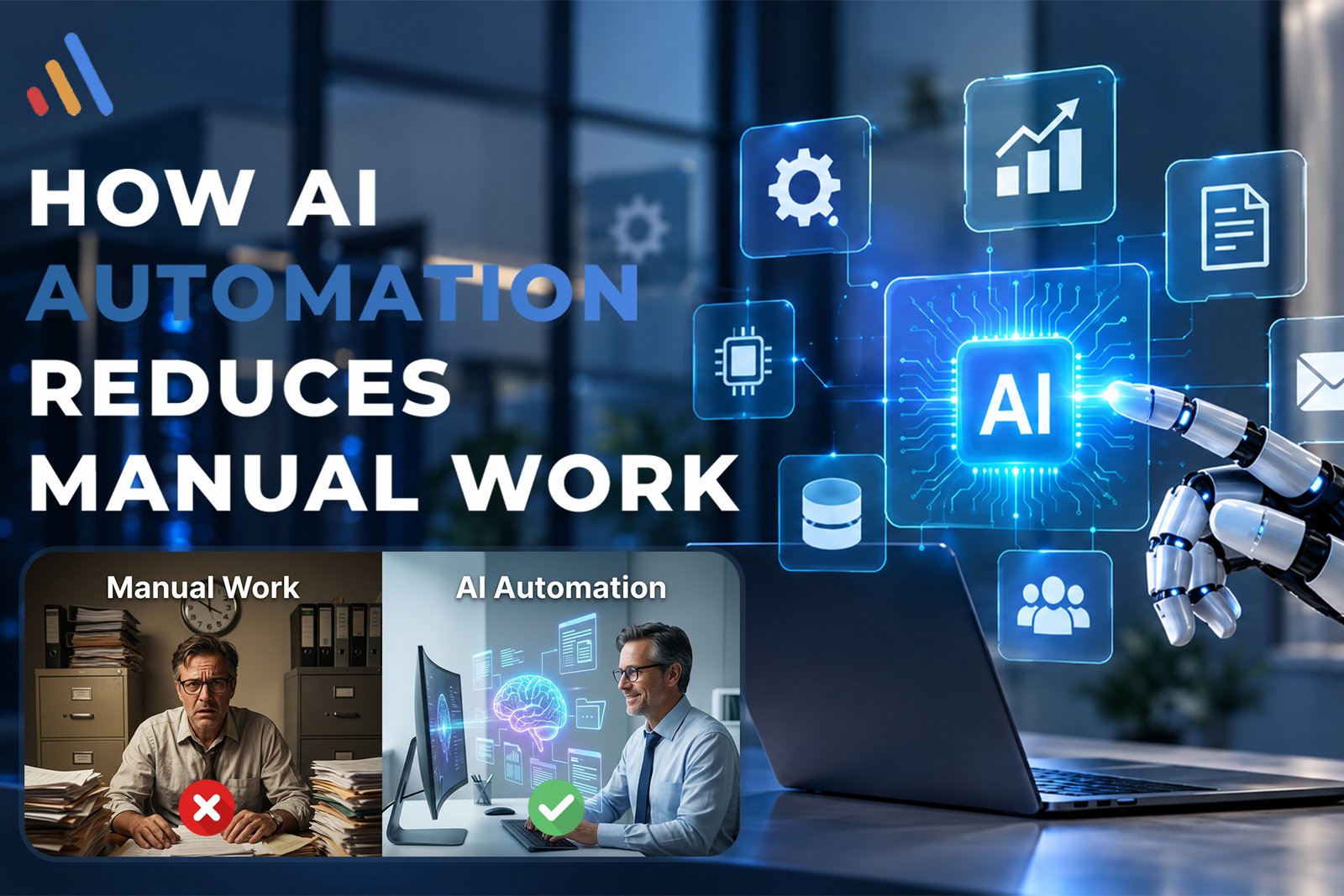
Manual work is part of almost every business. Employees read emails, enter data, update spreadsheets, move information between applications, respond to repetitive questions, prepare reports, schedule meetings, process documents, and follow up with customers.
These tasks may seem small individually, but when they are repeated hundreds or thousands of times, they can consume a significant amount of working time.This is where AI workflow automation can make a measurable difference.
Instead of requiring employees to complete every step manually, businesses can use AI to understand information, organize tasks, make decisions within defined rules, and trigger actions across connected systems. The result is not simply fewer clicks. It is a more efficient way of moving work from one stage to another.
According to VCL International, AI-powered software can automate workflows, reduce manual workloads, support data-driven decisions, and integrate with existing business systems. AI agents can also execute multi-step tasks across systems such as CRMs, ERPs, databases, APIs, and cloud platforms.
What Is AI Automation?
AI automation combines artificial intelligence with automated workflows to perform tasks that traditionally require human effort.Traditional automation generally follows predefined rules:
If X happens → do Y.
AI-driven automation can go further by interpreting information before deciding what action should happen next.For example:
Customer email → AI understands the request → identifies customer intent → retrieves relevant information → updates CRM → generates response → sends response or escalates to employee
This makes AI useful for processes involving language, documents, customer requests, unstructured information, and decisions that cannot easily be handled through simple rules.
AI automation does not necessarily mean removing people from a process. Instead, it can move repetitive work away from employees so they can concentrate on activities that require judgment, creativity, communication, and expertise.
How AI Automation Reduces Manual Work
The biggest advantage of AI automation is its ability to reduce the amount of repetitive human involvement required to complete a workflow.Here are some of the main ways it achieves this.
1. Automating Repetitive Data Entry
Data entry is one of the most common sources of manual work.Employees may need to copy information from emails, forms, PDFs, spreadsheets, websites, or customer conversations into another system.
For example, a sales employee might receive an inquiry containing:
- Customer name
- Email address
- Phone number
- Product interest
- Budget
- Location
- Additional requirements
Normally, an employee reads the message and manually enters the information into a CRM.With AI process automation, AI can extract relevant information and transfer it into the appropriate fields automatically.
The workflow can become:
Email → AI extracts information → CRM record created → sales representative notified
This reduces repetitive typing while also reducing the risk of simple copy-and-paste errors.
2. Reducing Email and Communication Work
Employees can spend a large part of their day reading and responding to emails.Many business emails are repetitive:
- Customer inquiries
- Appointment requests
- Order questions
- Internal requests
- Follow-ups
- Status updates
- Document requests
AI workflow automation tools can help classify incoming messages, identify their intent, draft responses, and trigger the next step.
For example:
New email → AI classifies request → checks relevant information → creates response → sends automatically or requests approval
Businesses can also configure workflows so that sensitive or unusual messages are automatically sent to a human employee.This creates a balance between automation and human oversight.
3. Automating Document Processing
Businesses handle large amounts of documents every day.
These may include:
- Invoices
- Contracts
- Applications
- Purchase orders
- Reports
- Forms
- Statements
- Identification documents
Manually opening every document, finding relevant information, and entering it into another system can be extremely time-consuming.AI can help identify information inside documents and route it to the correct workflow.
For example:
Invoice received → AI reads invoice → extracts supplier and payment information → validates required fields → sends for approval → updates accounting system
This type of AI automation workflow can significantly reduce repetitive administrative work.
4. Automating Customer Support Tasks
Customer support teams often answer the same questions repeatedly.AI can handle common inquiries, retrieve information from approved knowledge sources, provide responses, and escalate conversations when human assistance is required.
For example:
Customer question → AI understands request → searches knowledge base → provides answer → creates ticket if necessary
VCL International’s AI Agent Development Services can support workflows involving customer service, knowledge management, CRM/ERP connectivity, API integration, task execution, and human handoff.
The important point is that AI does not have to handle every conversation. A business can allow AI to handle routine requests while employees focus on complicated or sensitive cases.
5. Automating Lead Qualification
Sales teams often lose time manually reviewing incoming leads.
An employee may need to examine each inquiry, identify the customer’s requirements, determine whether the lead matches the company’s target market, and enter information into the CRM. An AI-powered workflow can assist with this process.
For example:
Lead arrives → AI analyzes information → identifies intent → qualifies lead → updates CRM → assigns salesperson → triggers follow-up
This can help sales teams spend more time speaking with qualified prospects instead of manually sorting every inquiry.
AI-driven automation can also maintain consistent qualification criteria across large numbers of leads.
6. Eliminating Repetitive Software Switching
One hidden source of manual work is moving information between different applications.A typical employee may work with:
- CRM
- Calendar
- Spreadsheet
- Accounting software
- Project management platform
- Customer support system
- Internal database
Without integration, employees may repeatedly copy information from one application into another.AI automation can connect these systems through APIs and integrations.
A workflow might look like:
Website form → AI → CRM → email platform → calendar → sales dashboard
VCL’s Artificial Intelligence Integration Services focus on embedding AI into existing technology environments and connecting AI capabilities with business workflows.This is an important part of AI business automation because the goal is not simply to add an AI tool. The goal is to make existing systems work together more efficiently.
7. Automating Scheduling and Follow-Ups
Scheduling meetings sounds simple, but it can create a surprising amount of administrative work.Employees may need to:
- Read a request
- Check availability
- Suggest times
- Wait for confirmation
- Send a calendar invitation
- Send reminders
- Create follow-up tasks
AI automation workflows can coordinate many of these steps.
For example:
Meeting request → AI identifies purpose → checks availability → schedules meeting → sends confirmation → creates reminder
After the meeting, another workflow could summarize the discussion, identify action items, and create follow-up tasks.This allows employees to spend less time coordinating administrative details.
8. Reducing Manual Report Preparation
Business reporting often requires employees to collect information from multiple sources.They may download spreadsheets, copy figures, calculate totals, create summaries, and prepare presentations or management reports.
AI can help automate parts of this process.A workflow could collect information from connected systems, organize the data, identify important changes, and generate a structured summary.
For example:
Business data → AI analyzes information → identifies trends → generates summary → sends report to management
Human review can remain part of the process, especially when reports influence important business decisions.
9. Automating Internal Knowledge Retrieval
Employees frequently spend time searching for information.They may look through:
- PDFs
- Internal documents
- Policies
- Product information
- Training materials
- Knowledge bases
- Previous communications
Instead of asking employees to search through multiple sources manually, an AI-powered knowledge system can retrieve relevant information based on a natural-language question.
For example:
Employee asks question → AI searches approved knowledge sources → relevant information retrieved → answer provided
VCL’s AI Agent Development capabilities include knowledge management, allowing AI agents to search internal documents, policies, manuals, and knowledge bases.This can reduce the time employees spend looking for information and make internal knowledge easier to access.
10. Supporting Employee Onboarding
Employee onboarding often involves repetitive administrative steps.HR teams may need to:
- Send welcome emails
- Collect documents
- Create accounts
- Schedule training
- Share policies
- Notify departments
- Track onboarding tasks
An AI automation workflow can coordinate these activities.
For example:
New employee added → onboarding workflow starts → required documents requested → accounts/tasks triggered → training scheduled → HR notified of outstanding items
This does not remove HR involvement. Instead, it reduces the administrative coordination required to move the process forward.
AI Workflow Automation Tools vs. Manual Processes
Businesses have access to many types of AI workflow automation tools, but choosing a tool should come after understanding the process.A common mistake is to purchase an AI platform and then search for something to automate.
A better approach is:
Process → Problem → Automation opportunity → Technology
For example, suppose employees spend 20 hours each week processing customer inquiries.The first question should not be:
“Which AI tool should we buy?”
Instead, ask:
“Which parts of this workflow require repetitive manual effort?”
Perhaps employees spend time:
- Reading messages
- Categorizing requests
- Looking up customer information
- Writing similar responses
- Updating CRM records
- Creating follow-up tasks
Once these steps are identified, AI can be introduced where it provides practical value.
For complex requirements, businesses may need custom AI software rather than a collection of disconnected tools. VCL AI Software Development Services include intelligent workflow automation, AI integrations, API and third-party integrations, and enterprise AI solutions.
AI Automation Does Not Mean Automating Everything
One of the most important principles of AI business process automation is that not every task should be automated.
Some processes require:
- Human judgment
- Emotional intelligence
- Strategic decisions
- Legal review
- Financial approval
- Sensitive communication
- Exception handling
A good AI automation workflow separates routine work from work that genuinely requires human expertise.
For example:
Routine customer request → AI handles it
Complex complaint → AI gathers information → human employee takes over
This approach can reduce manual workload without removing necessary human decision-making.
How to Identify Manual Work Worth Automating
Businesses can begin by looking for processes with several of these characteristics:
High frequency
If employees perform a task hundreds of times every week, even a small improvement can create significant savings.
Repetitive steps
Tasks involving the same sequence of actions are often suitable for automation.
Multiple systems
Processes that require employees to move information between applications can benefit from integrations.
Large amounts of information
AI can be particularly useful when employees need to read, classify, summarize, or organize large amounts of text or documents.
Frequent delays
If a process regularly waits for an employee to perform a simple action, automation may reduce bottlenecks.
High administrative workload
Processes that consume employee time without requiring much strategic thinking are often strong candidates.
How to Measure the Impact of AI Automation
Businesses should measure automation based on actual business outcomes rather than simply counting how many AI features they have implemented.
Useful metrics include:
- Hours of manual work saved
- Average processing time
- Response time
- Number of tasks completed automatically
- Error rate
- Cost per transaction
- Employee productivity
- Customer response time
- Workflow completion rate
- Number of cases requiring human intervention
For example, if a team processes 4,000 requests per month and spends three minutes manually processing each one, that represents approximately 200 hours of work.If an AI workflow can reliably automate part of that process, the business can redirect some of those hours toward higher-value activities.
The actual result will depend on workflow complexity, automation accuracy, implementation quality, and the percentage of work that can safely be automated.
How to Start With AI-Driven Automation
A practical AI automation strategy does not require automating an entire organization at once.Start with one workflow.
Step 1: Map the existing process
Document every step employees currently perform.
Step 2: Identify repetitive work
Look for manual data entry, classification, communication, document processing, and system updates.
Step 3: Define the desired outcome
Decide what improvement matters most.
It could be faster processing, fewer errors, reduced workload, or improved customer response time.
Step 4: Choose the right automation approach
Some workflows may need simple rules. Others may require AI, APIs, custom software, or AI agents.
Step 5: Build a small pilot
Automate one well-defined workflow before expanding to more departments.
Step 6: Measure results
Compare the automated workflow against the original process.
Step 7: Expand carefully
Once the workflow demonstrates value, additional processes can be connected to create a broader automation system.
VCL International also provides broader Software Development Services for businesses that need custom software, business-specific workflows, integrations, and scalable digital systems.
Common Mistakes When Automating Manual Work
AI automation can reduce manual effort, but poor implementation can create new problems.
Common mistakes include:
Automating a broken process
If the existing workflow is inefficient, automating it without redesigning it may simply make the inefficient process faster.
Using AI where simple automation is enough
Not every task requires artificial intelligence. Some predictable tasks can be handled with straightforward rules.
Ignoring human oversight
Important decisions may still require employees to review AI-generated results.
Choosing tools before understanding the workflow
Technology should support the business objective rather than determine it.
Measuring activity instead of outcomes
The number of automated tasks does not necessarily show business value. Time savings, accuracy, speed, and productivity provide more useful measurements.
The Future of Manual Work and AI Automation
AI is changing the relationship between employees and repetitive work.
Instead of employees spending large portions of their day moving information, searching documents, responding to routine requests, or updating systems, AI can increasingly handle these operational steps.
The bigger opportunity is not simply replacing individual tasks.It is redesigning workflows so that information can move automatically between people, AI systems, applications, databases, and business platforms.This is where AI business automation becomes more powerful.
A customer inquiry could trigger an AI agent, update a CRM, retrieve information from a knowledge base, schedule a meeting, send an email, and notify an employee without requiring someone to manually coordinate every step.The objective is a workflow where technology handles repetitive coordination while people remain responsible for judgment, relationships, strategy, and exceptions.
Frequently Asked Questions
How does AI automation reduce manual work?
AI automation reduces manual work by interpreting information, completing repetitive tasks, moving data between systems, generating responses, processing documents, and triggering workflow actions with less human intervention.
What is AI workflow automation?
AI workflow automation uses artificial intelligence within a business workflow to interpret information and perform or coordinate tasks automatically. It is particularly useful for processes involving text, documents, customer requests, classification, and variable information.
What are AI workflow automation tools?
AI workflow automation tools are software platforms or systems that help businesses connect applications, process information, use AI models, and automatically trigger actions based on workflow conditions.
What is AI process automation?
AI process automation combines AI capabilities with automated business processes. It can help organizations classify information, extract data, generate responses, make defined decisions, and trigger actions across connected systems.
Can AI automation completely replace manual work?
Not necessarily. AI can automate many repetitive activities, but businesses may still need employees for complex decisions, approvals, sensitive cases, relationship management, and exception handling.
How can AI automation improve employee productivity?
By reducing repetitive administrative work, AI can give employees more time for strategic, creative, analytical, and customer-focused responsibilities.
What business processes should be automated first?
Businesses can start with processes that are repetitive, high-volume, time-consuming, predictable, or dependent on moving information between multiple systems.
Final Thoughts
AI automation reduces manual work by changing how businesses perform repetitive activities.
Instead of employees manually reading every message, entering every record, processing every document, scheduling every meeting, or moving information between applications, intelligent workflows can handle many of these steps automatically.The most effective approach is not to automate everything.
It is to identify where employees are spending valuable time on repetitive work and determine whether AI can handle those activities safely and efficiently.With AI workflow automation, AI process automation, and connected business systems, organizations can create workflows that operate faster while allowing employees to focus on work where human expertise matters most.
VCL International helps businesses develop AI-powered software, AI agents, integrations, and intelligent automation solutions designed around specific business requirements.The starting point is simple: identify the manual process that consumes the most valuable time, map how it works today, and determine where AI can make the workflow more efficient.