Businesses are under constant pressure to do more with fewer resources. Employees spend hours moving information between systems, answering repetitive questions, processing documents, updating records, qualifying leads, preparing reports, and following routine approval processes.Traditional automation can eliminate some of this manual work, but artificial intelligence takes workflow automation further.
AI workflow automation combines artificial intelligence with business processes, software integrations, and automated actions to create workflows that can understand information, make decisions, and trigger the next step with limited human intervention.
For example, a traditional workflow might move a customer form from one system to another. An AI-powered workflow can read the form, understand the information, identify the customer’s intent, validate the data, update the CRM, and route unusual cases to an employee.This makes AI automation useful across customer service, sales, finance, HR, operations, marketing, IT, and many other departments.
In this guide, we will explore AI workflow automation examples, the benefits businesses can expect, the factors that influence costs, common AI automation tools, and how to determine whether your business is ready to implement an AI-powered workflow.
What Is AI Workflow Automation?
AI workflow automation is the use of artificial intelligence to automate multiple connected steps within a business process.A basic automated workflow might look like:
Trigger → Rule → Action
An AI automation workflow can be more sophisticated:
Trigger → AI interprets information → AI makes or recommends a decision → System performs actions → Human reviews exceptions
The difference is important.
Traditional automation generally works best when processes follow predictable rules. AI can add intelligence when workflows involve natural language, documents, images, classification, predictions, recommendations, or contextual decisions.For example:
Customer email received → AI identifies intent → customer information retrieved → response generated → CRM updated → complex request escalated
VCL’s AI Software Development Services include intelligent workflow automation, natural language processing, predictive analytics, API integrations, and AI-powered business solutions. This makes custom AI software particularly useful when an organization’s workflows cannot be handled effectively by a standard automation platform.
How Does AI Workflow Automation Work?
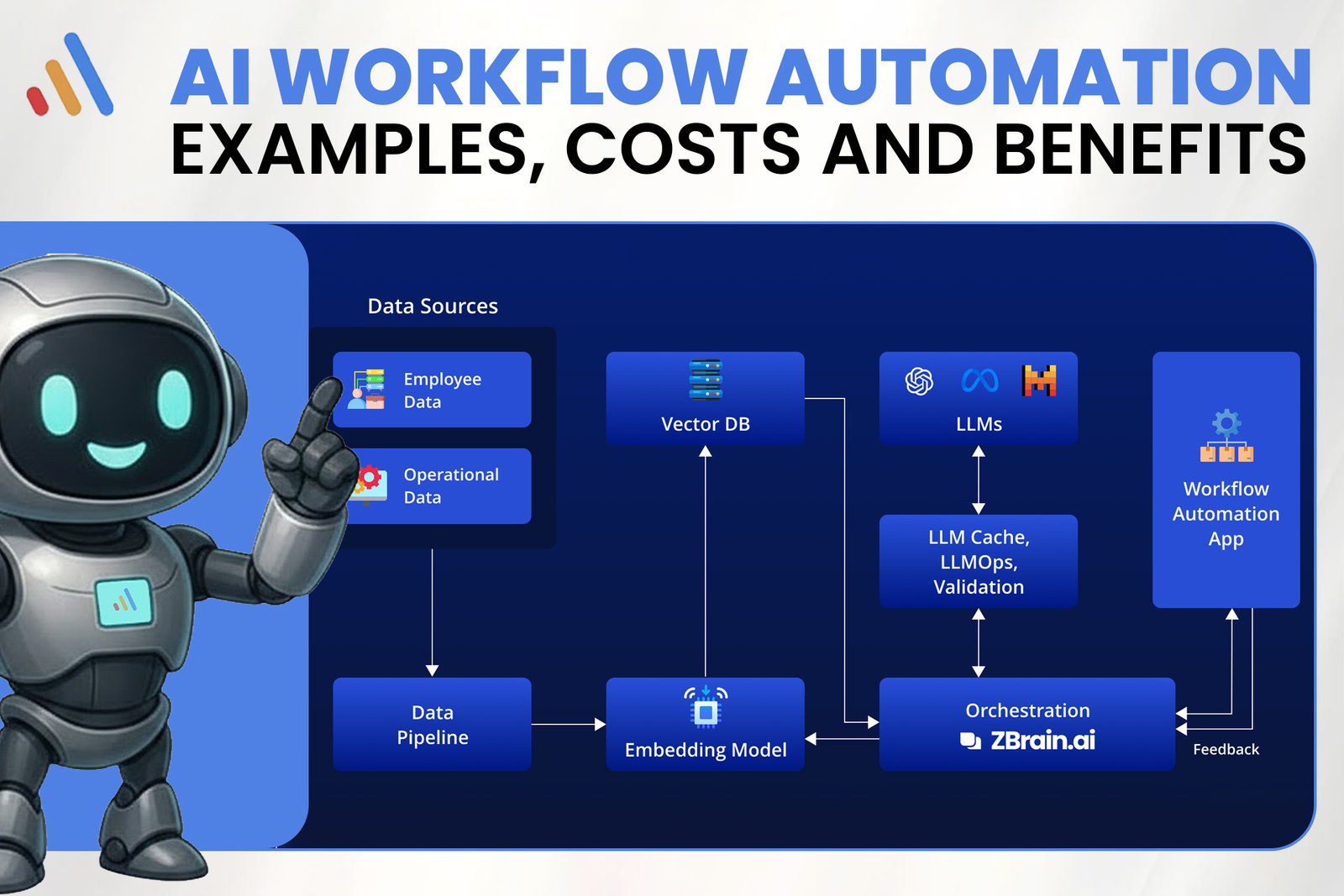
Most AI-powered workflows contain several core components.
1. Trigger
Something starts the workflow.Examples include:
- A customer submits a form
- An email arrives
- A document is uploaded
- A new order is created
- A support ticket is opened
- A payment is received
- A scheduled event occurs
2. AI Processing
The AI system analyzes the information.It may:
- Understand text
- Extract data
- Classify requests
- Summarize documents
- Identify patterns
- Generate content
- Predict outcomes
- Recommend an action
3. Business Logic
The workflow applies business rules to determine what happens next.
4. System Action
The automation updates a CRM, sends an email, creates a task, updates a database, generates a report, or performs another action.
5. Human Handoff
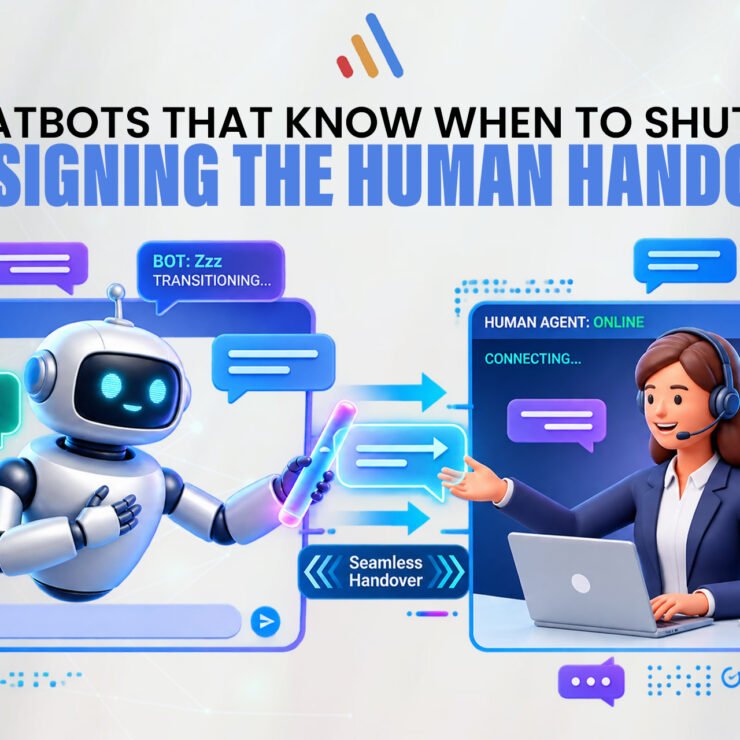
When a situation is uncertain, sensitive, or outside predefined conditions, the workflow can send the case to a human employee.This human-in-the-loop approach is often essential for high-impact business processes.
10 AI Workflow Automation Examples
The best way to understand workflow automation AI is to look at practical use cases.
1. Customer Support Automation
Customer service teams deal with large numbers of repetitive questions every day.AI can analyze incoming requests, identify their intent, search a knowledge base, generate a response, and escalate complicated issues.For example:
Customer message → AI identifies issue → Knowledge base searched → Response generated → Ticket updated → Complex case escalated
This can reduce response times while allowing support teams to focus on customers who need human assistance.
VCL’s AI Agent Development Services support workflows involving customer service, knowledge management, CRM connectivity, ticket handling, and human handoff.
2. Lead Qualification
Sales teams often spend significant time reviewing incoming leads.An AI-powered workflow can analyze a lead’s information, identify its potential fit, classify the lead, update the CRM, and assign it to the appropriate salesperson.A typical workflow could be:
Lead submitted → AI analyzes information → Lead scored → CRM updated → Sales representative notified
AI can also personalize follow-up messages based on the information provided by the prospect.This allows sales teams to spend more time on qualified opportunities instead of manually sorting every incoming lead.
3. Document Processing
Businesses process contracts, invoices, applications, forms, reports, and other documents every day.Manually extracting information from these documents is slow and prone to errors.
AI can identify document types, extract relevant fields, summarize information, and send the data to another system.For example:
Invoice uploaded → AI reads invoice → Information extracted → Data validated → Accounting system updated → Exception flagged
This is one of the strongest AI automation workflows because AI can work with information that is not always presented in a perfectly structured format.
4. HR and Recruitment
Recruitment teams can use AI automation to reduce administrative work.For example:
Application received → Candidate information extracted → Application categorized → Candidate record created → Interview scheduling triggered
AI can also assist with employee onboarding, internal knowledge requests, document processing, and routine HR questions.Human oversight remains important for employment decisions, especially when fairness, compliance, and individual circumstances are involved.
5. IT Support
Internal IT teams receive repetitive requests involving passwords, software access, application problems, and system questions.An AI-powered workflow can handle the initial stages:
Employee request → AI identifies issue → Knowledge base searched → Solution provided → Ticket created if unresolved → IT specialist notified
This allows employees to receive faster answers while technical teams concentrate on more complex problems.
6. Marketing Workflow Automation
Marketing teams manage multiple recurring processes, including lead nurturing, customer segmentation, campaign reporting, content workflows, and customer communication.
AI can analyze customer behavior and automatically determine which communication sequence is most appropriate.For example:
Customer interaction → AI analyzes behavior → Customer segment identified → Personalized campaign triggered → Response measured → Next action determined
This type of automation can make marketing workflows more responsive without requiring employees to manually manage every customer interaction.
7. Sales Follow-Up
A sales team may have hundreds of prospects at different stages of the buying journey.AI automation can help monitor CRM activity and trigger appropriate follow-ups.For example:
Sales call completed → AI summarizes conversation → CRM updated → Follow-up task created → Personalized email prepared → Salesperson reviews and sends
This can reduce administrative work while keeping sales representatives in control of important customer interactions.
8. Finance and Invoice Processing
Finance departments frequently work with repetitive financial documents and transactions.AI can support workflows involving:
- Invoice information extraction
- Expense categorization
- Document classification
- Payment reminders
- Report preparation
- Data reconciliation
- Internal finance queries
A workflow might look like:
Invoice received → AI extracts data → Information validated → Approval workflow triggered → Accounting system updated
For sensitive financial activities, organizations should maintain appropriate approval controls rather than allowing AI to make every decision independently.
9. E-Commerce Operations
E-commerce businesses can use AI automation across multiple parts of the customer journey.Examples include:
- Product categorization
- Customer support
- Order updates
- Product recommendations
- Inventory alerts
- Review analysis
- Customer segmentation
A simple example:
Customer order → System checks status → AI generates update → Customer notified → CRM record updated
AI can also analyze customer behavior to provide more personalized product recommendations.
10. Internal Knowledge Management
Employees often spend significant amounts of time searching for company information.An AI assistant connected to approved internal knowledge sources can help employees find:
- Policies
- Procedures
- Product information
- Technical documentation
- Training material
- Company guidelines
- Internal reports
For example:
Employee asks question → AI searches approved knowledge sources → Relevant information retrieved → Answer generated → Source information provided
This turns internal information into a more accessible business resource.
AI Workflow Automation Tools
Businesses can approach AI automation using several types of technology.
AI Models
Large language models and other AI models can provide capabilities such as text understanding, classification, summarization, reasoning, and content generation.
Workflow Platforms
Automation platforms can connect applications and trigger actions between systems.
APIs
APIs allow different software systems to exchange information.
AI Agents
AI agents can perform multi-step tasks by accessing systems, retrieving information, making decisions, and executing actions.
Custom AI Software
When workflows are highly specialized, businesses may need custom software rather than a collection of disconnected automation tools.
VCL’s Artificial Intelligence Integration Services focus on embedding AI into existing technology environments, including workflow automation, data processing, and integrations with business systems.The right technology depends on the workflow. Businesses should avoid selecting tools before understanding the actual process they want to improve.
How Much Does AI Workflow Automation Cost?
There is no single price for AI workflow automation.The cost depends heavily on the complexity of the workflow and the technology required.Important cost factors include:
Workflow Complexity
A simple workflow connecting two applications will generally require less development than an enterprise workflow involving multiple systems and decision points.
Number of Integrations
Connecting a CRM, ERP, database, email platform, payment system, and internal application increases development and testing requirements.
AI Requirements
Basic AI classification may be relatively straightforward, while advanced AI agents, predictive models, document processing, or customized AI systems can require significantly more development.
Data Volume
Large amounts of information may increase processing, infrastructure, storage, and monitoring costs.
Security Requirements
Businesses handling sensitive customer, financial, healthcare, or enterprise data may require additional security controls.
Custom Development
Off-the-shelf AI workflow automation tools can reduce development requirements. However, custom development may be necessary when a business has unique workflows or legacy systems.
A practical approach is to start with a focused pilot rather than attempting to automate an entire organization immediately.VCL’s Custom Software Development Services can be relevant when AI workflows need to be built around proprietary business processes, existing software, or enterprise systems.
Benefits of AI Workflow Automation
1. Reduced Manual Work
AI can take over repetitive tasks that consume employee time.
2. Faster Processes
Automated workflows can operate continuously without waiting for manual handoffs.
3. Improved Productivity
Employees can spend more time on strategic, creative, and customer-focused work.
4. Fewer Manual Errors
Automating repetitive data processing can reduce common data-entry and transfer errors.
5. Better Customer Experience
Customers can receive faster responses and more consistent service.
6. Improved Scalability
Automation allows businesses to handle increasing workflow volumes without increasing manual effort at the same rate.
7. Better Use of Business Data
AI can process large amounts of information and turn it into useful insights or actions.
8. More Consistent Workflows
Standardized automation can ensure that routine processes follow the correct sequence.
AI Workflow Automation vs Traditional Automation
The two approaches are not competitors in every situation.Traditional automation is excellent for predictable processes.For example:
If order status = shipped → send shipping notification
AI becomes useful when interpretation is required.
For example:
Read customer message → understand the problem → determine intent → retrieve account information → generate response → escalate if necessary
In many real-world applications, the strongest solution combines both.
AI interprets → Business rules validate → Automation executes → Human handles exceptions
VCL’s recent guide on AI Automation vs Traditional Business Automation explores this hybrid approach and explains why businesses do not necessarily have to choose between AI and traditional automation.
How to Start an AI Automation Workflow
Businesses should avoid starting with the technology.Start with the process.
Step 1: Identify Repetitive Work
Look for processes that employees perform frequently.
Step 2: Measure the Current Process
Record processing time, cost, error rates, and volume.
Step 3: Identify AI Opportunities
Determine where AI can interpret information, classify data, generate responses, or make recommendations.
Step 4: Select the Right Technology
Decide whether you need a workflow platform, AI model, AI agent, integration, or custom software.
Step 5: Build a Small Pilot
Choose one workflow where the expected business value is clear.
Step 6: Keep Human Oversight
Allow employees to review exceptions and high-risk decisions.
Step 7: Measure Results
Compare the automated workflow against the original process.
Useful metrics include:
- Processing time
- Cost per transaction
- Employee hours saved
- Error rate
- Customer response time
- Automation rate
- Human intervention rate
- Conversion rate
Step 8: Scale What Works
Once the pilot produces measurable results, expand the approach to other workflows.
Common Mistakes to Avoid
Automating a Bad Process
AI will not automatically fix an inefficient workflow. Improve the process first.
Choosing Tools Before Defining the Problem
The best AI workflow automation tools depend on the business requirement.
Automating Everything at Once
Start with one high-value workflow and scale gradually.
Ignoring Data Quality
AI outputs depend heavily on the quality and accessibility of the underlying information.
Removing Human Oversight
Some workflows require human review, particularly when decisions affect customers, employees, finances, or compliance.
Measuring Only Cost Savings
AI automation can also create value through faster service, better customer experiences, scalability, and improved employee productivity.
Final Thoughts
AI workflow automation is becoming a practical way for businesses to reduce manual work, connect systems, improve customer experiences, and scale operations.But successful automation is not about adding AI to every business process.It is about finding the right processes.
The strongest opportunities usually involve repetitive work, large amounts of information, frequent manual handoffs, multiple software systems, customer delays, or tasks that require employees to interpret and process information repeatedly.
From customer service and sales to finance, HR, IT, marketing, and e-commerce, the potential workflow automation examples are extensive.The best approach is to identify one high-value process, understand how it works today, determine where AI can add intelligence, select the appropriate technology, and measure the results.
When implemented strategically, an AI automation workflow can do more than reduce repetitive work. It can create faster operations, better customer experiences, more productive teams, and a business that can scale more efficiently.
The future of automation is not simply about machines completing predefined tasks. It is about intelligent systems that can understand information, coordinate actions, and work alongside people to improve the way businesses operate.