“Where is order #4417?” sounds like a simple question. But in many export businesses, answering it requires contacting production, checking a spreadsheet, asking the quality control team, searching email attachments, and confirming payment details with accounts.
When every department maintains separate records, management struggles to see the complete status of an export order.
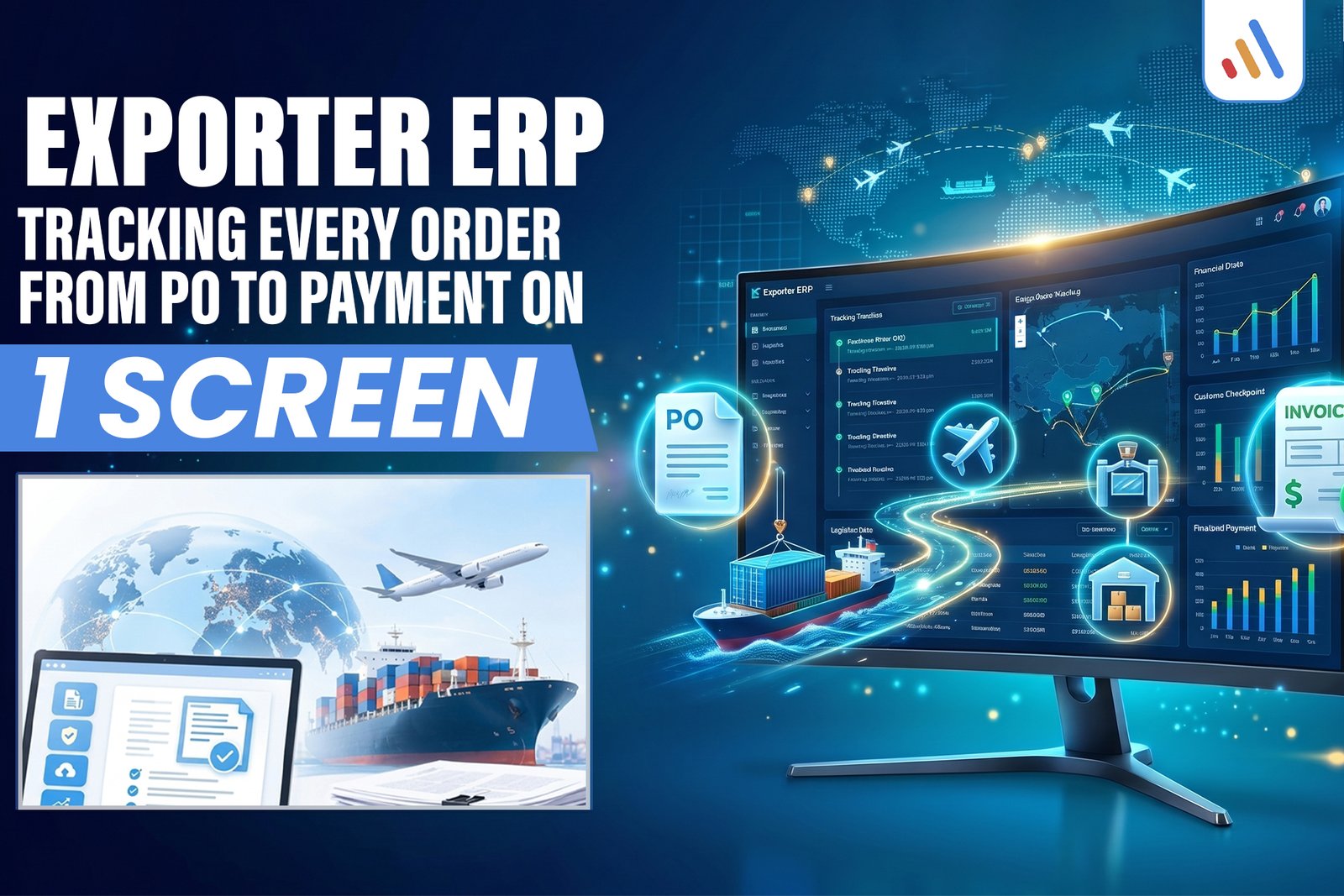
An exporter ERP in Pakistan can solve this problem by connecting purchase orders, production, quality control (QC), export documentation, shipment milestones, and payment records in one centralized system. Instead of tracking each activity separately, authorized employees can view the complete order journey from one dashboard.
For Pakistani exporters handling multiple customers, suppliers, production batches, and shipments, this approach creates better operational visibility and more controlled workflows.
Why Exporters Need One Order Tracking System
Exporters need centralized order tracking because every export order passes through multiple departments, and delays in one department can affect the entire delivery schedule.
Consider an export company receiving several purchase orders from international buyers. The sales team confirms the order, procurement arranges materials, production starts manufacturing, QC checks the finished goods, and logistics prepares shipment documents.
If these activities are managed through disconnected spreadsheets and messages, employees may work with outdated information.
Common problems include:
- Sales teams cannot confirm actual production progress.
- Procurement cannot easily identify material shortages.
- Production managers lack visibility into pending orders.
- QC teams maintain separate inspection records.
- Documentation staff struggle to locate the latest files.
- Finance teams cannot quickly identify outstanding payments.
An ERP system connects these activities through a shared order record. Each department updates its assigned information, while management gets a consolidated view of progress.
This is particularly useful for businesses evaluating ERP for SMEs Pakistan because export operations require coordination beyond basic accounting and inventory management.
What Should an Exporter ERP Dashboard Show?
An effective exporter ERP dashboard should display each order’s current stage, responsible department, important dates, outstanding tasks, and financial status without requiring employees to search multiple systems.
For example, an order dashboard might contain the following information:
| Order information | What it shows |
| Purchase Order (PO) | Buyer, PO number, quantity and agreed price |
| Production | Planned versus completed quantity |
| Procurement | Material availability and pending purchases |
| Quality Control | Inspection status and rejected quantity |
| Documentation | Required files and approval status |
| Shipment | Planned dispatch and shipment milestones |
| Finance | Invoice value, received amount and balance |
| Overall status | Current stage and pending action |
The objective is not to put every operational detail on one crowded screen. It is to give managers a clear overview and allow them to open individual records when more information is needed.
A centralized dashboard may also use AI integration solutions to support intelligent reporting, identify unusual patterns, and help teams prioritize operational exceptions.
A useful dashboard should also highlight exceptions, such as delayed production, incomplete inspections, missing documents, or overdue payments.
How an Export Order Moves from PO to Payment
An ERP order workflow should follow the actual sequence of an export transaction, with each department responsible for updating its own milestones.
A typical workflow looks like this:
- Purchase Order Received
Record buyer details, product specifications, quantity, pricing, delivery terms, and target dates. - Procurement and Material Planning
Check available stock, calculate material requirements, and create purchase requests for shortages. - Production Tracking
Assign production batches, monitor completed quantities, and flag delays against the production schedule. - Quality Control
Record inspection results, rejected quantities, rework requirements, and final approval. - Export Documentation
Track applicable commercial invoices, packing lists, shipping instructions, and other required documents. - Shipment and Dispatch
Record dispatch dates, shipment references, quantities shipped, and relevant logistics updates. - Invoice and Payment Tracking
Record invoice references, due dates, received amounts, outstanding balances, and reconciliation status.
For example, order #4417 might show production completed, QC approved, documentation pending, and payment not yet due. Management can immediately identify the outstanding task instead of contacting every department.
The exact workflow should reflect the exporter’s products, shipping arrangements, buyer agreements, and applicable requirements.
READY TO SIMPLIFY YOUR EXPORT OPERATIONS?
Connect purchase orders, inventory, shipments, and payments in one ERP workflow. Get better visibility and control over every export order.
5 Steps to Implement ERP for an Export Business
Implementing ERP for an export business should begin with mapping existing processes rather than purchasing software based on a feature list.
Follow these practical steps:
- Document the order lifecycle: Identify every stage from buyer PO to final payment, including department responsibilities.
- Standardize order information: Define consistent fields for customers, products, quantities, currencies, deadlines, and order references.
- Connect departments: Establish how procurement, production, QC, documentation, logistics, and finance share information.
- Configure dashboards and alerts: Highlight delayed milestones, pending approvals, incomplete records, and outstanding invoices.
- Test with real workflows: Pilot the system using representative orders before migrating all operations.
For businesses with existing accounting or inventory software, integration may be more practical than replacing every application immediately.
A customized solution may also be necessary when standard ERP software cannot support specialized production processes or export workflows. VCL software development services are relevant for businesses exploring custom dashboards, enterprise applications, and software integrations.
For larger organizations, these requirements also connect with enterprise technology solutions, particularly when multiple departments need a shared operational view.
Common ERP Implementation Mistakes Exporters Should Avoid
ERP implementation can create new problems when businesses automate poorly defined processes or migrate inaccurate information.
Avoid these common mistakes:
- Automating inconsistent processes: Standardize workflows before configuring automation.
- Ignoring historical data: Validate customer, inventory, and financial records before migration.
- Overcomplicating dashboards: Show important milestones first and keep detailed records accessible separately.
- Skipping employee training: Assign responsibilities and train users according to their department.
- Ignoring system integrations: Confirm how existing accounting, inventory, banking, and logistics applications will exchange information.
- Removing human approvals: Keep appropriate review and authorization controls for financial transactions, QC decisions, and important document approvals.
An ERP dashboard improves visibility, but it does not automatically guarantee accurate records, timely shipments, or regulatory compliance. Those outcomes depend on correct processes, reliable data, and employee accountability.
Frequently Asked Questions About Exporter ERP
1. What is exporter ERP software?
Exporter ERP software is a business management system that connects export-related operations, including purchase orders, procurement, production, quality control, documentation, shipment tracking, and financial records.
2. How does ERP help exporters in Pakistan?
ERP helps Pakistani exporters centralize order information, coordinate departments, monitor production progress, track outstanding documents, and review payment status. Its actual benefits depend on implementation and the quality of business data.
3. Can ERP track an export order from purchase order to payment?
Yes. An appropriately configured ERP can maintain a continuous order record from PO confirmation through production, QC, documentation, shipment, invoicing, and payment reconciliation.
4. Can an ERP system integrate with existing accounting software?
Yes. Integration may be possible through APIs, supported connectors, or other data exchange methods. Compatibility, available features, licensing, and data mapping should be assessed before implementation.
5. Should exporters choose ready-made ERP or custom ERP software?
Ready-made ERP may suit businesses with standard workflows and supported requirements. Custom ERP can be more appropriate when an exporter needs specialized production tracking, documentation workflows, integrations, or reporting that existing platforms cannot adequately support.
Get an ERP Consultation for Your Export Business
If your team still needs multiple spreadsheets, phone calls, and manual updates to answer a basic order-status question, it may be time to review your current system.
VCL International helps businesses explore custom software development, system integration, and technology solutions aligned with their operational requirements.
Book an ERP consultation with VCL International.
Discuss your purchase order tracking, production visibility, QC workflows, export documentation, and payment reporting requirements.
Book a consultation