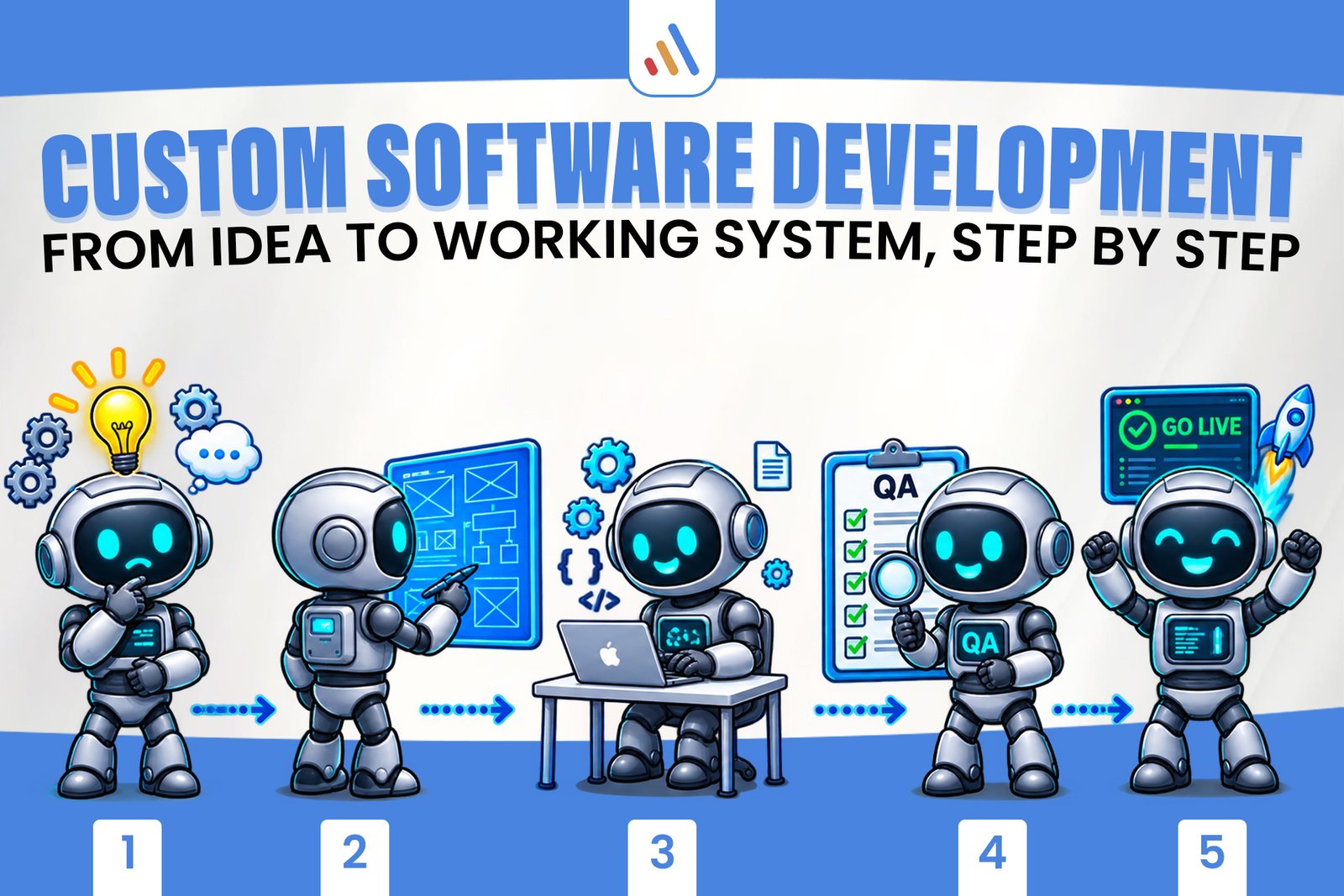
Custom software development turns a business requirement into a working digital system. It may be an internal management platform, customer portal, mobile application, ecommerce solution, or enterprise application connected to existing tools.
The challenge is not simply writing code. A successful project must solve the right problem, fit the way people work, protect business information, integrate with essential systems, and remain maintainable after launch.
Understanding the custom software development process helps business owners, operations managers, and IT leaders make informed decisions before committing time and budget. This guide explains the journey from discovery to the second year of ownership, including the main stages, cost factors, project risks, and questions to ask a development company.
What Is the Custom Software Development Process?
The custom software development process is a structured approach to planning, designing, building, testing, launching, and maintaining software around specific business requirements. It is commonly called the software development lifecycle (SDLC).
Unlike ready-made applications, custom software can be designed around an organization’s workflows, user permissions, integrations, and reporting needs. However, it also requires clear decisions about scope, budget, ownership, and ongoing support.
For example, a distributor may need one system to manage customer orders, warehouse stock, approvals, and accounting data. The team must understand how those departments work together before deciding what to build.
1. Discovery: Identify the Business Problem
Discovery establishes what the software must solve, who will use it, and whether custom development is the right approach. It prevents investment in features that do not address the actual business problem.
Start by documenting current workflows. Identify repetitive tasks, delays, disconnected applications, reporting problems, and manual workarounds.
Discovery should clarify:
- Business objectives and expected outcomes
- Primary users and their responsibilities
- Existing software and integration requirements
- Essential features and operational problems
- Budget expectations and delivery constraints
- Security, privacy, and regulatory considerations
The outcome should be a discovery document recording the problem, proposed scope, assumptions, risks, and unanswered questions.
For example, if a sales team cannot see current warehouse stock, the solution may only require an inventory dashboard or integration rather than an entirely new ERP system.
Before choosing custom development, compare it with configuration, integration, or an existing product. VCL International guide to custom software vs. off-the-shelf solutions can help evaluate the options.
2. Requirements and Scope: Decide What to Build
Requirements translate business objectives into functions that developers can design, estimate, and test. Clear requirements reduce misunderstandings and provide a basis for approving the finished system.
Separate requirements into three categories:
- Functional: What the software must do, such as creating orders, generating reports, or approving transactions.
- Non-functional: How it should perform, including response time, availability, accessibility, scalability, and security.
- Integration: How it exchanges information with accounting software, CRMs, ERP platforms, payment gateways, or other tools.
Prioritize features into essential, important, and future improvements. A Minimum Viable Product (MVP) is the smallest practical version that can serve its core purpose and gather feedback. It should be deliberately scoped, not carelessly unfinished.
For example, an order-management MVP might include customer records, order creation, status updates, and basic reporting. Advanced forecasting could be added later.
Document acceptance criteria for major features. These describe the conditions that must be met before a requirement is approved.
3. Architecture and Technology Planning: Design the Foundation
Architecture defines how the application’s components, data, integrations, and infrastructure work together. Good planning supports maintainability and reduces the likelihood of expensive redesigns.
Decide whether the solution needs a web, mobile, desktop, or cloud-based architecture. Choose technologies based on business requirements, integration needs, team expertise, and long-term support.
Key decisions include frontend and backend technologies, database structure, APIs, hosting, authentication, permissions, backups, and recovery arrangements.
An API (Application Programming Interface) allows different applications to exchange information through defined interfaces. For example, an ecommerce platform may send confirmed orders to an inventory system through an API.
Avoid unnecessary complexity. Microservices or expensive infrastructure are not automatically better than a simpler architecture that meets the actual requirements.
Architecture and UI/UX planning often overlap. Early prototypes can reveal technical constraints, while architecture decisions can influence what the interface can realistically support.
For complex business workflows, VCL International software development services can support the planning and creation of tailored applications. Businesses connecting existing systems may also benefit from software integration planning.
4. UI/UX Design: Make the System Usable
UI/UX design turns requirements into screens and workflows that users can understand. Reviewing designs before major development makes it easier to correct confusing interactions early.
The design process commonly includes user flows, wireframes, interactive prototypes, visual designs, and stakeholder reviews.
For example, warehouse employees may need a simple mobile interface for scanning products and updating stock, while finance managers need a desktop dashboard for approvals and reports.
Involve representatives of the actual user groups. Review navigation, mobile responsiveness, accessibility, error messages, and how users recover from mistakes.
For browser-based applications, explore web development services. For iOS and Android products, see custom mobile app development.
WANT TO KNOW WHAT YOUR CUSTOM SOFTWARE WILL NEED?
Define your requirements, clarify the scope, and find out which features your first version should include.
5. Development: Build in Manageable Releases
Development converts approved requirements and designs into working software. Building in manageable increments allows stakeholders to review progress before the entire project is complete.
A team may include frontend and backend developers, designers, project managers, and quality assurance specialists.
Typical development work includes:
- Building user interfaces and business logic
- Creating databases and application services
- Connecting APIs and third-party tools
- Implementing authentication and permissions
- Reviewing code and resolving defects
Many projects use Agile development, where work is divided into short iterations or sprints. Teams demonstrate completed functionality and use feedback to plan the next increment.
Waterfall follows a more sequential approach and may suit projects with stable, well-defined requirements. A hybrid approach combines upfront planning for critical decisions with iterative development where feedback is valuable.
The best custom software development methodology depends on requirement stability, technical risk, stakeholder availability, and delivery constraints. Agree on demonstrations, progress reporting, and a formal process for approving scope changes.
6. Testing and Quality Assurance: Verify the System
Testing checks whether the software meets its requirements, handles errors properly, and works reliably across expected conditions. It should happen throughout development, not only before launch.
Important testing activities include:
- Functional testing: Confirms that features perform their intended tasks.
- Integration testing: Checks communication between connected systems.
- Performance testing: Evaluates response times and behavior under expected workloads.
- Security testing: Reviews vulnerabilities, permissions, and protection of sensitive information.
- Usability testing: Checks whether users can complete tasks effectively.
- User acceptance testing (UAT): Allows client representatives to approve agreed business requirements.
For an order-management system, testing should include failed payments, unavailable stock, duplicate orders, incorrect permissions, and interrupted integrations—not just successful order creation.
Agree on acceptance criteria and nominate people who can approve the system. Security testing does not guarantee complete security, and regulatory compliance claims should be reviewed by qualified technical, legal, or compliance specialists.
VCL International provides quality assurance and software testing services for functional, performance, security, and other testing needs.
7. Deployment and Launch: Prepare for Real Users
Deployment moves approved software into its production environment. A controlled launch plan reduces disruption and clarifies responsibilities.
Before launch, confirm that required features have passed acceptance testing, hosting and permissions are configured, and backups and recovery procedures are documented.
If replacing an older system, plan data migration carefully. Validate record counts, key fields, relationships, and important business totals before switching users to the new application.
A phased rollout can start with one department or location before expanding. Provide user training, support contacts, monitoring, and a recovery plan where appropriate.
The launch is not complete simply because the application is online. Users must be able to perform the intended business tasks successfully.
The Seven Stages at a Glance
Each stage of the custom software development lifecycle should produce something stakeholders can review and approve.
| Stage | Main deliverable |
| 1. Discovery | Problem definition and discovery document |
| 2. Requirements | Prioritized scope and acceptance criteria |
| 3. Architecture | Technical architecture and integration plan |
| 4. UI/UX design | Wireframes and approved prototypes |
| 5. Development | Working software releases |
| 6. Testing | Test results and UAT approval |
| 7. Deployment | Launch plan, migration checks, and handover |
The stages may overlap or repeat as teams learn from feedback, but every major decision should remain documented.
Common Risks in Custom Software Projects
Custom software projects can face delays, additional costs, or unusable features when business decisions and technical dependencies are not managed early.
Common risks include:
- Unclear or changing requirements: Frequent additions create scope creep. Prioritize requirements and document how changes affect cost and delivery.
- Unavailable stakeholders: Delayed reviews and approvals can hold up development. Assign decision-makers and agree on review deadlines.
- Legacy integration surprises: Older systems may have limited APIs or undocumented data structures. Check compatibility during discovery.
- Vendor lock-in or unclear ownership: Confirm source-code access, intellectual property rights, licenses, and documentation in the contract.
- Underestimated operating costs: Hosting, licenses, backups, maintenance, and support continue after launch. Include them in the project budget.
A risk register should record each significant risk, its owner, likelihood, potential impact, and response plan.
What Does Custom Software Development Cost?
Custom software development cost depends on scope, complexity, integrations, technology choices, testing, and ongoing support. A useful estimate should follow requirements discovery rather than rely on a generic price promise.
Three common engagement models are:
- Fixed price: Suits projects with clearly defined requirements and acceptance criteria. Changes outside the agreed scope need a documented change process.
- Time and materials: Suits evolving requirements or iterative work. The client pays for actual effort, so regular budget tracking is important.
- Dedicated team or retainer: Suits ongoing development, product roadmaps, and businesses that need continuous access to a development team.
Project complexity also affects the investment:
| Project type | Typical scope | Main cost drivers |
| Simple internal tool | Forms, dashboards, basic workflows | User roles, reports, data sources |
| Mid-size business application | Multiple modules and integrations | Workflow complexity, APIs, testing |
| Enterprise platform | Multiple departments, high data volumes, complex permissions | Architecture, migration, security, availability, governance |
These are qualitative planning tiers, not price estimates. Actual cost depends on the detailed requirements and delivery conditions.
Ask vendors to separate discovery, design, development, integration, testing, deployment, training, hosting, and maintenance in their estimates. Compare total ownership cost over several years, not only the initial development fee.
Year 2 and Beyond: Maintenance and Ownership
Software requires ongoing maintenance because business needs, infrastructure, dependencies, and security risks change. The first release begins operational ownership; it does not end the project.
Plan for security updates, bug fixes, performance monitoring, backups, access management, user support, and future improvements.
During the first year, teams may focus on stabilizing the release, resolving issues, and training users. In the second year, the business may request new integrations, reporting features, additional user roles, or capacity improvements.
Define support coverage, response expectations, severity levels, maintenance windows, and charges for new features before launch. VCL International guide to website support and maintenance services explains the importance of ongoing digital platform care.
Questions to Ask Before Choosing a Software Development Company
A suitable development company should explain its process, responsibilities, risks, and deliverables clearly. Ask:
- How will requirements, scope, and changes be documented?
- Who owns the source code, intellectual property, and project documentation?
- How will progress be demonstrated and approved?
- How will data, access permissions, backups, and security be handled?
- What support and maintenance are available after launch?
- What will be included in the handover?
Request written answers and include important commitments in the agreement. Have legal or technical specialists review ownership, security, and compliance terms where necessary.
Frequently Asked Questions
1. What are the main steps in software development?
The main steps are discovery, requirements, architecture, UI/UX design, development, testing, deployment, and ongoing maintenance. Teams may repeat or overlap stages when using Agile methods.
2. How long does custom software development take?
Timelines depend on scope, integrations, complexity, approvals, and testing. Request a milestone-based estimate after discovery rather than relying on a universal timeline.
3. What is the difference between Agile and Waterfall?
Agile delivers software in iterations and uses feedback to refine the product. Waterfall follows a more sequential process. A hybrid method can combine upfront planning with iterative development.
4. Who owns custom software after development?
Ownership depends on the contract. Confirm rights to source code, designs, documentation, data, licenses, and third-party components before development begins.
5. Does custom software need maintenance after launch?
Yes. Updates, security patches, monitoring, backups, bug fixes, and compatibility checks help keep software useful and maintainable.
Plan Your Software Project With VCL International
Have an idea for a web application, mobile platform, or custom business system? VCL International can help assess your requirements, discuss the right development approach, and define practical next steps.
Start Your Project