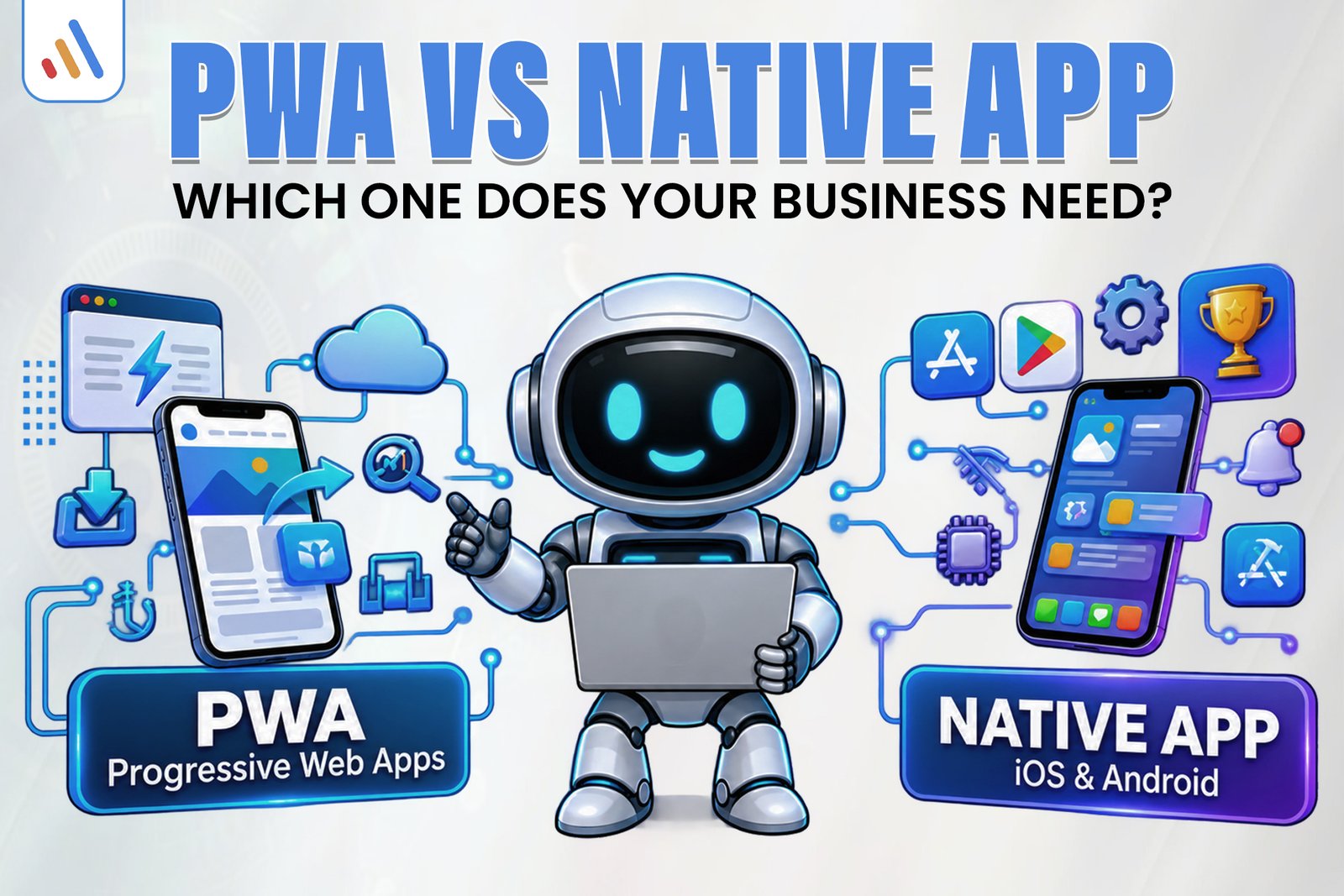
Choosing between a Progressive Web App (PWA) and a native mobile application is an important decision for any business investing in digital products. Both approaches can deliver mobile experiences, but they differ in development costs, device capabilities, installation, performance, and maintenance.
The right choice depends on what your users need to accomplish. A PWA can be suitable for ecommerce stores, booking platforms, SaaS products, and customer portals. Native development makes more sense when an application requires advanced hardware integration, intensive background processing, or complex mobile functionality.
This guide explains the PWA vs native app differences, including iPhone and Android limitations, development costs, hybrid alternatives, and practical examples to help you choose the right approach.
1. Progressive Web App vs Native App: What Is the Difference?
A Progressive Web App runs through a web browser and can offer app-like functionality, while a native app is developed specifically for a mobile operating system such as Android or iOS.
A PWA uses technologies such as HTML, CSS, JavaScript, web app manifests, and service workers. Users can access it through a website and install it on supported devices.
Its common capabilities include:
- Home-screen installation.
- Offline access to cached pages and resources.
- Push notifications on supported platforms.
- Responsive interfaces across devices.
- Centralized updates without requiring users to download every release.
A native app is built specifically for a mobile platform. Android developers commonly use Kotlin, while iOS developers use Swift.
Native applications provide access to platform-specific capabilities, including advanced camera controls, Bluetooth, biometrics, location services, and background operations, subject to operating-system permissions.
The main distinction is that a PWA extends the web experience, while a native application is designed around mobile operating-system capabilities.
2. PWA vs Native App: Feature Comparison
A PWA generally provides easier distribution and broader browser accessibility, whereas native applications offer greater control over mobile hardware and platform-specific functionality.
| Feature | PWA | Native App |
| Installation | Browser-based or home-screen installation | App store or supported distribution |
| Development | Shared web codebase | Platform-specific development |
| Initial cost | Often lower | Often higher |
| Updates | Centrally deployed | Store or platform distribution may be involved |
| Offline access | Selected cached functionality | Extensive offline functionality |
| Push notifications | Platform-dependent | Broad platform support |
| Hardware access | Browser API limitations | Deeper device integration |
| Performance | Depends on browser and implementation | Greater platform-level control |
| Search accessibility | Public web pages can be indexed | App store discovery |
| Maintenance | Shared web application | Mobile platform maintenance |
Neither option automatically delivers better performance. Application architecture, backend quality, network conditions, and implementation decisions also affect the user experience.
For more technical information, see MDN’s Progressive Web App and service worker documentation.
3. PWA vs Native App on iPhone and Android: What Actually Works?
PWAs work on both Android and iOS, but installation, notifications, storage, and background functionality are not identical across platforms.
On Android:
- Supported browsers allow users to install eligible PWAs.
- Push notifications are available through supported browser technologies.
- Service workers can manage caching and selected background events.
- Trusted Web Activity (TWA) allows qualifying web applications to be presented through an Android application distributed via Google Play.
On iPhone:
- Users can add supported web applications to their Home Screen.
- Web Push is supported for Home Screen web apps on iOS 16.4 and later.
- Notification permission must be requested through direct user interaction.
- Browser-managed storage has limits and should not be treated as permanent offline storage.
- Background execution is subject to iOS and browser restrictions.
Apple documents its Web Push implementation for web applications. Its WebKit explanation of iOS web push explains how Home Screen applications receive notifications.
One important limitation applies to both platforms: cached content does not automatically mean the complete application works offline. Developers must deliberately implement offline data handling, synchronization, and recovery.
Browser storage policies also differ. MDN explains storage quotas and eviction behavior. Therefore, critical business data should not exist only in a device’s browser cache.
NOT SURE WHICH MOBILE APP SOLUTION YOUR BUSINESS NEEDS?
Choosing between a PWA, native app, or cross-platform solution? Get expert guidance on your features, development budget, integrations, and the right technology for your business.
4. PWA vs Native App Cost Comparison
A PWA can reduce development costs by sharing one web codebase, while separate native applications can require additional platform-specific development and testing.
For initial international budget planning, consider these illustrative USD ranges:
| Application type | Indicative budget |
| Focused PWA MVP | 8,000–30,000 |
| Single-platform native app | 25,000–60,000 |
| Separate native Android and iOS apps | 50,000–120,000 |
These are planning estimates, not fixed market prices or VCL quotations. The PWA range represents an illustrative contained project, while the native ranges are broadly aligned with published 2026 app-cost estimates from GoodFirms. Clutch reports that most app projects reviewed on its platform fall between $10,000 and $49,999, although larger projects can cost considerably more.
Your actual PWA vs mobile app development budget depends on:
- UI and UX complexity.
- Backend and API development.
- Payment and third-party integrations.
- User accounts and permissions.
- Offline functionality and data synchronization.
- Testing, deployment, and ongoing maintenance.
For example, a basic product catalog and ordering experience is considerably different from an application involving real-time tracking, multiple user roles, and complex payment workflows.
Also account for hosting, security maintenance, cloud infrastructure, and future upgrades when calculating total ownership costs.
VCL International provides software development services for businesses planning custom platforms and application infrastructure.
5. What About Flutter, React Native, and Hybrid Apps?
A PWA and a traditional native application are not your only options. Cross-platform frameworks can provide a middle ground by sharing development work across Android and iOS while retaining access to native platform capabilities.
Three approaches are worth considering:
React Native: Uses JavaScript and React to build mobile applications with native platform components. It supports code sharing while allowing access to platform-specific APIs.
Flutter: Uses Dart and a shared development framework to build applications for multiple platforms, including Android and iOS.
Trusted Web Activity: Packages qualifying web content inside an Android application experience. It is useful when a business wants an Android distribution channel without rebuilding its entire PWA as a traditional native application.
These approaches solve different problems. React Native and Flutter are cross-platform application frameworks, while TWA is a way to present web content through an Android application container.
Explore the official React Native documentation, Flutter architecture documentation, and Android Trusted Web Activity guide.
6. How to Choose the Right Application for Your Business
The best choice between a PWA and a native app depends on essential user requirements, not simply the technology your competitors use.
Use this decision process:
- Choose a PWA if users mainly browse products, place orders, schedule appointments, or access customer portals.
- Consider native development if advanced camera features, Bluetooth, continuous background location, or intensive device processing are essential.
- Consider React Native or Flutter if you need Android and iOS applications with shared development.
- Evaluate TWA if an Android store distribution option is important and your web application already meets the requirements.
- Validate the budget against integrations, maintenance, security, and future development.
For example, an ecommerce company may need a PWA for product discovery, checkout, and account management. A logistics business may need a native or cross-platform mobile application for field operations and device integration.
VCL International can help assess these technical requirements through its mobile app development services. The goal should be to select an architecture that solves the business problem without introducing unnecessary development costs.
7. Real-World PWA Examples: What Businesses Have Learned
Published PWA projects show how browser-based applications can solve practical accessibility and engagement problems, although their results should not be treated as guaranteed outcomes for other businesses.
Starbucks: Google published a developer story explaining how Starbucks built a PWA with service-worker support to make its web experience more accessible, including when connectivity is limited.
Pinterest: Pinterest Engineering published a one-year PWA retrospective reporting improvements in mobile web engagement, session duration, and signups. These are historical company-reported results, not universal performance benchmarks.
Uber: Uber’s engineering team documented its m.uber.com web application as an alternative to its native mobile experience, designed to support riders across browsers, devices, and slower networks.
Read the original accounts: Starbucks on Google Developers, Pinterest Engineering, and Uber Engineering.
The practical lesson is to choose technology based on the user experience and operating requirements, rather than copying another company’s architecture.
Choose the Technology That Fits Your Business
The PWA vs native app decision comes down to functionality, accessibility, development investment, and long-term product requirements.
A PWA is often a practical choice for businesses that need browser accessibility, ecommerce functionality, bookings, and customer portals. Native or cross-platform development is more appropriate when deep device integration and advanced mobile functionality are essential.
Before committing to either approach, document your essential features, understand your audience, and compare the total cost of ownership.
Planning a mobile application? VCL International helps businesses evaluate and build web and mobile solutions based on real operational requirements.
Explore VCL International mobile app development services and discuss the right technical approach for your project.
Frequently Asked Questions
Is a PWA better than a native app?
A PWA is generally better for browser accessibility, shared web development, and easier distribution. Native apps are more suitable for complex hardware integration and demanding mobile functionality.
Can a PWA work offline on iPhone?
Yes. A PWA can cache selected resources and provide offline experiences on iPhone. However, offline capabilities must be implemented deliberately, and browser storage and background behavior have platform-specific limitations.
Is PWA development cheaper than native app development?
Often, yes. A PWA can use one shared web codebase. However, development cost depends on features, integrations, user experience, testing, and maintenance requirements.
Can a PWA be published on Google Play?
Yes. A qualifying PWA can be distributed through a Trusted Web Activity (TWA) packaged as an Android application. Additional verification and store requirements apply.
Should a startup choose PWA, Flutter, or native development?
A startup should select the simplest architecture that supports its essential product features. A PWA can be suitable for browser-focused products, while Flutter or React Native can be useful when Android and iOS applications are required. Fully native development is worth considering when specialized platform capabilities are essential.
READY TO BUILD YOUR NEXT WEB OR MOBILE APPLICATION?
Whether you need a PWA, native mobile app, or custom digital platform, VCL International can help you plan the right solution and turn your business requirements into a working product.
Book a consultation